Guest list
Name, e-mail, role such as VIP or crew, and status: available, reserved, checked in. Search, filter, CSV import and export.
 Ticket Studio
iPhone · iPad
Ticket Studio is for organizers who keep their evening in their own hands: design tickets, send them to the guests and check them in at the door with the camera. No account, no commission, no subscription.
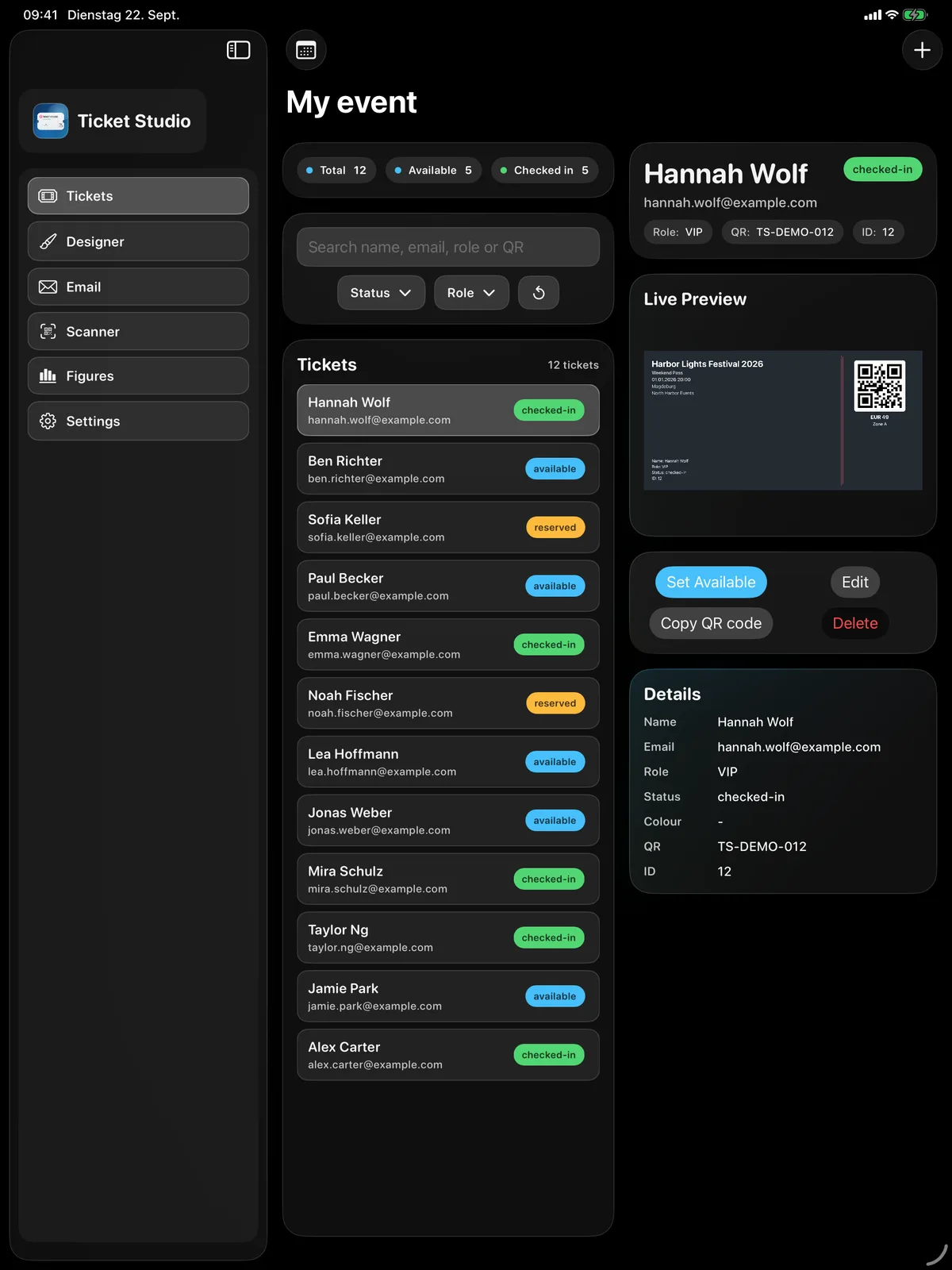
Name, e-mail, role such as VIP or crew, and status: available, reserved, checked in. Search, filter, CSV import and export.
The scanner reads the QR code and shows the result large and in colour: green checked in, amber already inside, red not found. A guest without a ticket is found by name.
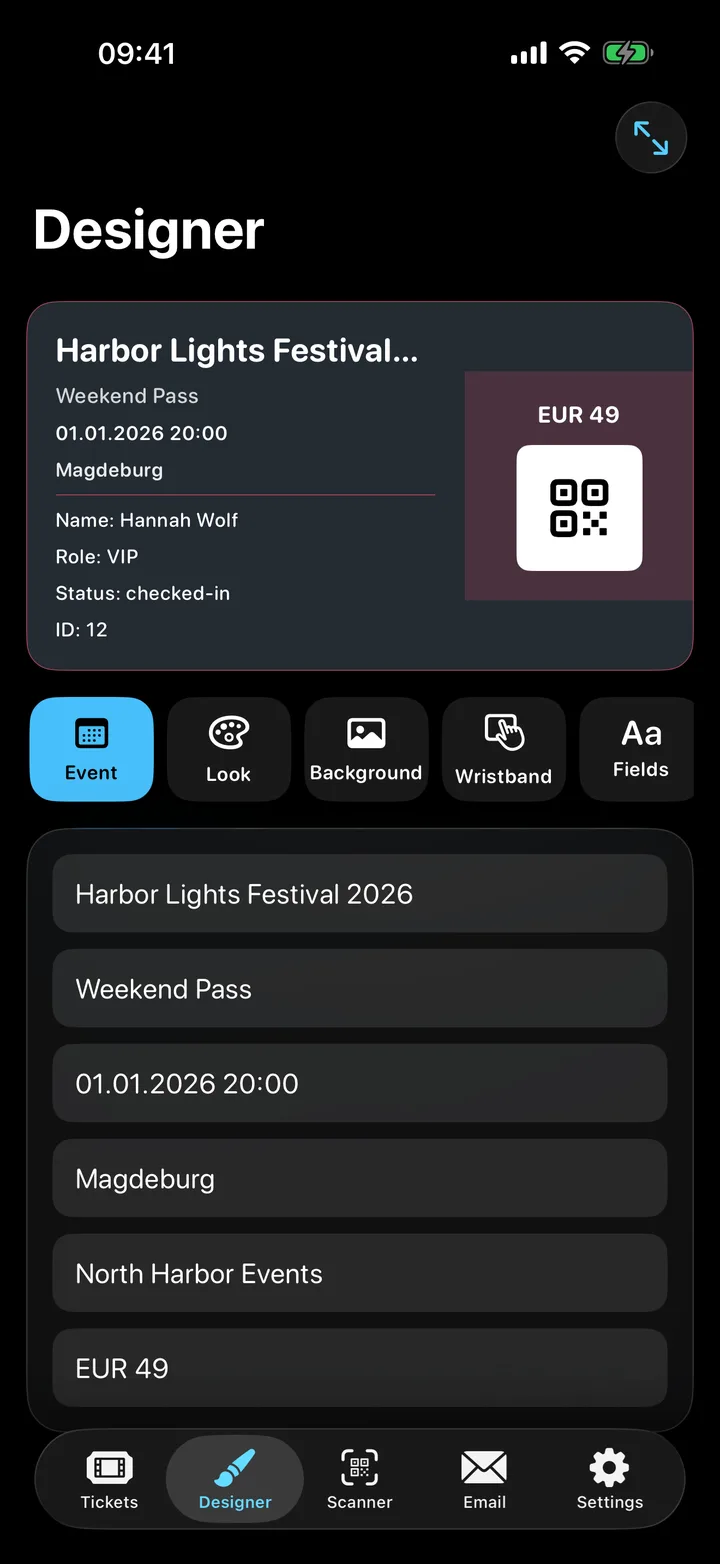
Colours, background image, pattern, wristband, QR size – with a preview that updates as you edit. Ready-made looks for a quick start.
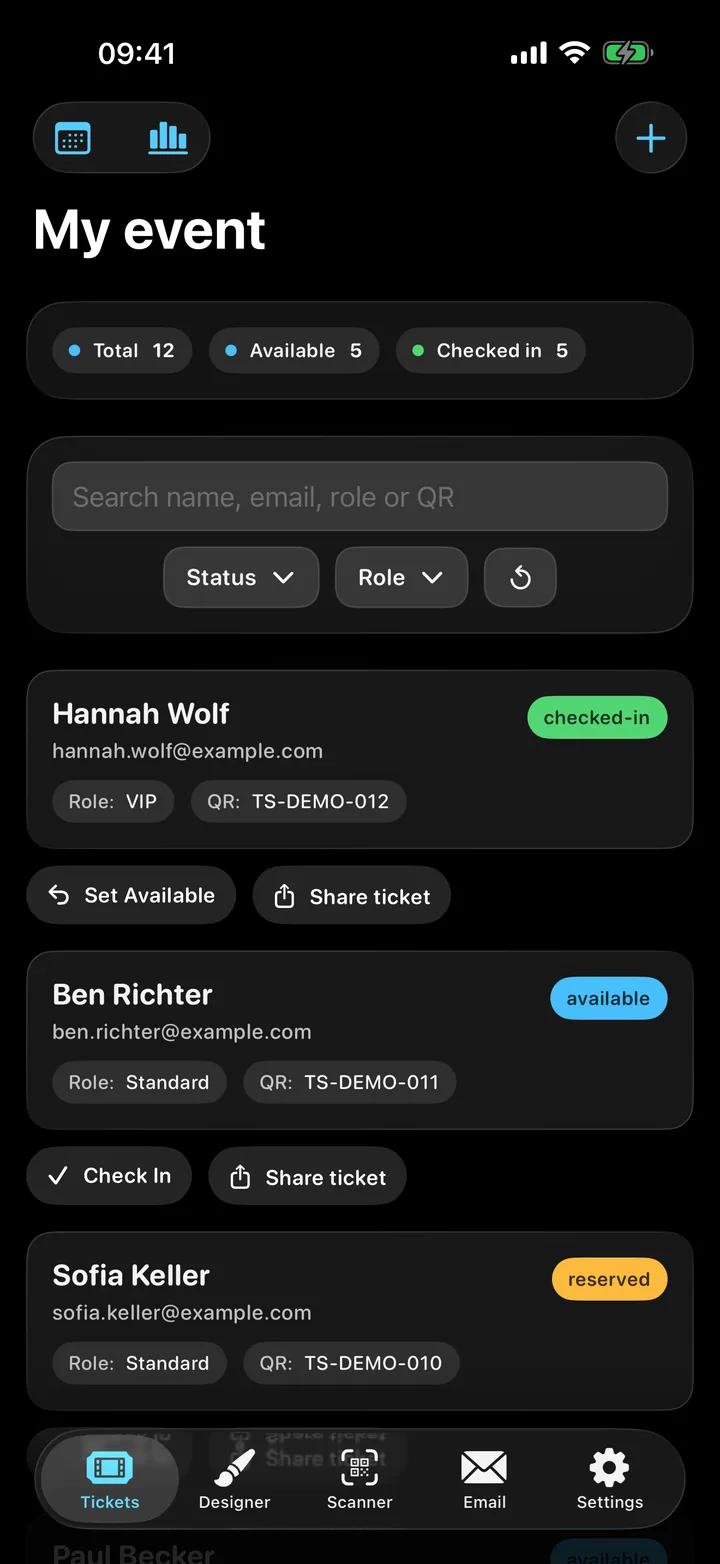
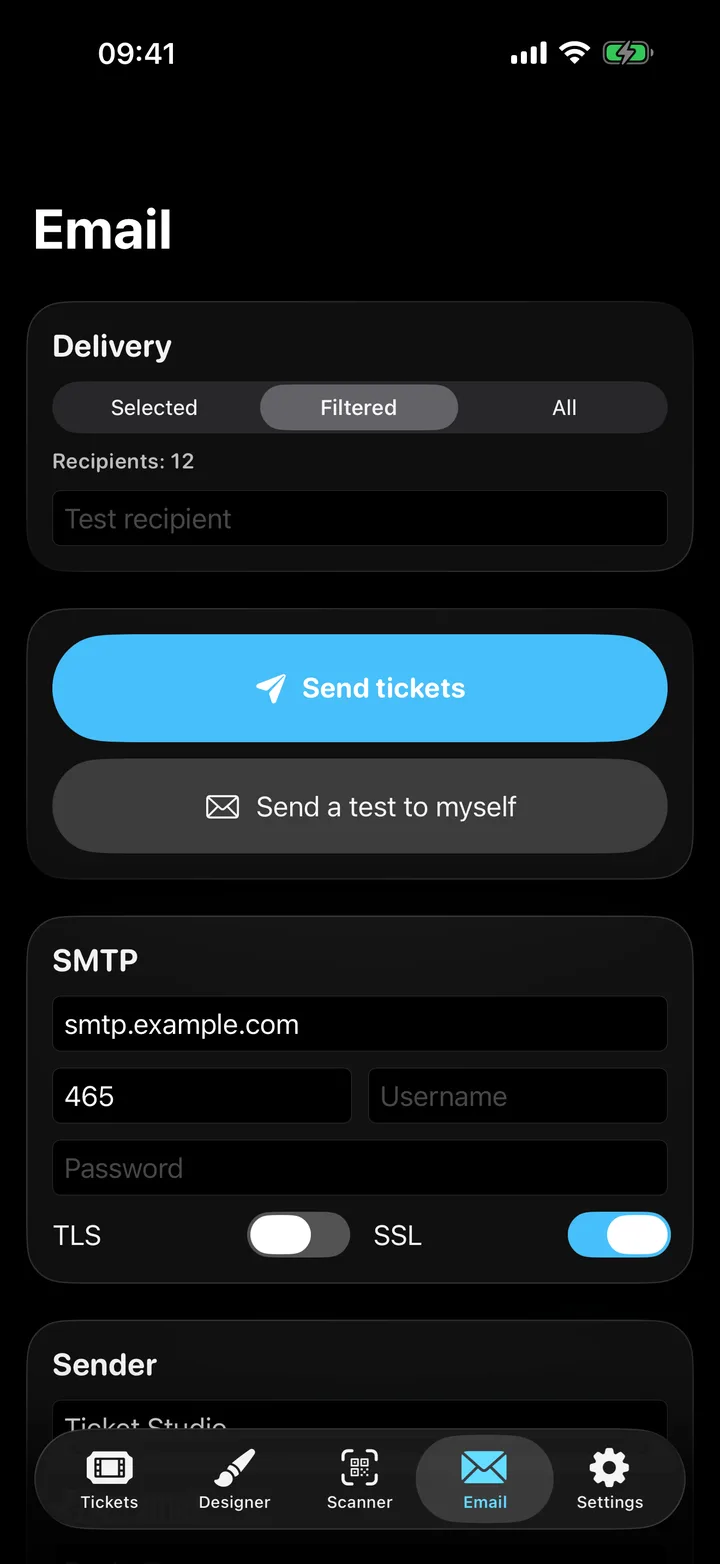
Share a single ticket as a picture through Messages, WhatsApp or AirDrop. Send all of them by e-mail through your own mail server, as PNG or PDF.
Every evening has its own guest list and its own design. Past events stay in the archive.
iPhones and iPads nearby share one list, over Wi-Fi or Bluetooth, without a server. A door code keeps strangers out, and a check-in at one door shows at all of them.
19,99 €
Buy once in the App Store, use it on all your iPhones and iPads. No subscription, no in-app purchase, no fee per ticket – with 200 tickets at €15, that is easily more than €100 saved per evening compared with a ticket portal.
Requires iOS 17. The store price may differ by country.
No. The app starts with an empty guest list, and all data stays on the device. Only e-mail delivery needs your mail server.
No. You buy the app once in the App Store. There is no commission, no subscription and no in-app purchase.
Add them one by one, or import a CSV file, for example from Numbers, Excel or a ticket shop. The export gives you the same file back.
Share a single ticket as a picture, for example through WhatsApp. Send all of them by e-mail through your own SMTP account.
Switch on “Other doors” in the scanner on both devices and enter the same four-digit door code. They find each other over Wi-Fi or Bluetooth and keep one list. If two changes conflict, the newer one wins.
A Mac version is in the works and will come to the Mac App Store.